

Data Analytics Mistakes Beginners Make and How to Avoid Them
New to data analytics? Learn the most common beginner mistakes and how to avoid them using the right tools, skills, and practical guidance.
Introduction
Data analytics has become one of the most popular and rewarding career options today. Many students and professionals are enrolling in a data analyst course in Hyderabad to build skills in data-driven decision-making. However, beginners often make common mistakes that slow down their learning and reduce confidence.
These mistakes usually happen due to lack of clarity, rushing into tools, or skipping fundamentals. The good news is that most of these errors are completely avoidable with the right approach and guidance.
In this blog, you will learn about the most common data analytics mistakes beginners make, why they happen, and how you can avoid them. This guide will be especially helpful if you are planning to join or have already joined data analytics training in Hyderabad.
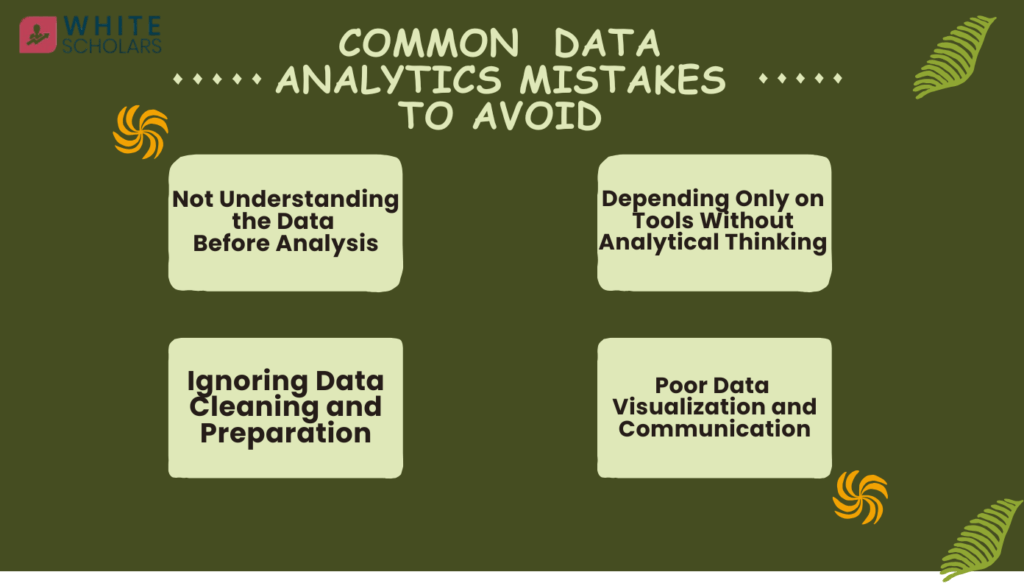
Mistake 1: Not Understanding the Data Before Analysis
One of the biggest mistakes beginners make is starting analysis without properly understanding the data. Many learners directly open Excel, SQL, or Python and begin working without knowing where the data comes from or what it represents. This leads to incorrect results and confusion.
Data can represent customers, sales, website traffic, marketing campaigns, or financial records. If you do not understand the meaning of each column, data type, or business purpose, your analysis will not be useful. For example analyzing customer data without knowing whether it is new users or returning users can lead to wrong insights.
A quality data analyst classes always starts by teaching data basics such as data types, data sources, and business context before moving to tools.
Why Understanding Data Is the First Step
Understanding data helps you:
- Identify errors, missing values, and inconsistencies
- Ask the right business questions
- Choose the correct analysis method
- Avoid wrong assumptions and misleading insights
In professional data analytics coaching, students are trained to explore and question the data before performing any analysis.
Mistake 2: Depending Only on Tools Without Analytical Thinking
Many beginners believe that learning tools alone will make them data analysts. They focus heavily on Excel formulas, SQL queries, or Python code but forget that analytics is about thinking, logic, and problem-solving. Even while preparing for a Data Analytics course by H2k Infosys, many learners concentrate only on technical skills. However, tools only help execute ideas; they do not create insights on their own.
For example creating a dashboard without understanding what decision it supports is not helpful. A true data analyst thinks about what problem needs to be solved and then uses tools to support that solution.
This is why practical data analytics training focuses equally on analytical thinking and tool usage.
Important Tools and Skills Beginners Must Learn
Core Data Analytics Tools
- Excel: Data cleaning, formulas, pivot tables, basic reporting
- SQL: Extracting and managing data from databases
- Python or R: Data manipulation, automation, and analysis
- Power BI / Tableau: Visualizing data and building dashboards
Digital Marketing & Business Analytics Tools
- Google Analytics: Website traffic and user behavior analysis
- Google Search Console: SEO performance tracking
- CRM tools: Customer data and sales funnel analysis
- Social media analytics tools: Campaign and engagement tracking
Learning how and when to use these tools is a key benefit of joining a professional data analyst coaching centers
Mistake 3: Ignoring Data Cleaning and Preparation
Many beginners underestimate the importance of data cleaning. Real-world data is rarely clean and ready to use. It often contains missing values, duplicates, incorrect formats, and irrelevant information. Skipping this step can lead to inaccurate results.
In the real industry, data analysts spend a large portion of their time cleaning and preparing data before analysis. Beginners who rush this process often struggle later when results do not match expectations.
A good data analyst training in any place like Mumbai,Chennai and Hyderabad teaches data preprocessing as a core skill, not as an optional topic.
Common Data Cleaning Mistakes to Avoid
- Not handling missing or null values properly
- Ignoring duplicate records
- Mixing text, numbers, and dates incorrectly
- Using unverified data for dashboards
Data cleaning is a crucial step in data analytics, yet it is often underestimated by beginners. Poor data cleaning can lead to inaccurate analysis, misleading dashboards, and wrong business decisions. Below are some of the most common data cleaning mistakes and why they should be avoided.
1. Not Handling Missing or Null Values Properly
Missing or null values are very common in real-world datasets. These can occur due to incomplete data entry, system errors, or data collection issues. Beginners often ignore these values or delete data without understanding their importance.
If missing values are not handled properly, they can distort calculations like averages, totals, and trends. Depending on the situation, missing data should be treated carefully by filling it with appropriate values or removing only the affected records after analysis.
2. Ignoring Duplicate Records
Duplicate records happen when the same data appears more than once in a dataset. This usually occurs during data merging, repeated data uploads, or system glitches. Beginners often overlook duplicates, assuming they do not affect the outcome.
Ignoring duplicate records can lead to inflated counts, incorrect totals, and misleading insights. Removing duplicates ensures that each record is unique and represents accurate information, which is essential for reliable analysis.
3. Mixing Text, Numbers, and Dates Incorrectly
Inconsistent data formats are another common issue in datasets. For example, numeric columns may contain text values, or date fields may be stored as plain text. This often happens due to manual data entry or improper data imports.
When data types are mixed, tools like Excel, SQL, or Python may fail to perform correct calculations. Standardizing text, numeric, and date formats helps maintain consistency and ensures accurate analysis and visualization.
4. Using Unverified Data for Dashboards
Dashboards are created to support important business decisions, but beginners sometimes build them using unverified or raw data. This can result in incorrect insights being presented to stakeholders or decision-makers.
Before creating dashboards, it is important to validate the data by checking its source, accuracy, and completeness. Using verified and cleaned data improves trust, clarity, and the overall quality of insights shared through dashboards.
Bonus Tip: Always validate your dataset after cleaning. Clean data builds trust and confidence in your analysis.
Mistake 4: Poor Data Visualization and Communication
Another common mistake beginners make is creating confusing or overloaded visualizations. Many learners use too many charts, colors, or metrics in one dashboard. This makes insights hard to understand, especially for non-technical stakeholders.
Data visualization is about storytelling. The goal is to clearly explain what the data is saying and help decision-makers take action. Choosing the right chart type and keeping visuals simple is essential.
Professional data analytics coaching emphasizes clear communication and storytelling with data.
Best Practices for Data Visualization
- Use bar charts, line charts, and tables appropriately
- Avoid unnecessary colors and decorations
- Highlight key insights clearly
- Keep dashboards clean and focused
These visualization skills are especially important in digital marketing analytics, where performance metrics must be explained clearly to clients or managers.
Mistake 5: Lack of Real-World Practice and Projects
Many beginners rely only on theory or recorded tutorials. While theory is important, it is not enough to become job-ready. Without real-world practice, learners struggle during interviews and practical tasks.
Working on live projects helps you understand real business problems and how analytics is applied in industries like marketing, finance, healthcare, and e-commerce. This is why hands-on projects are a must in any data analytics courses
How to Build Practical Data Analytics Experience
- Work on real datasets such as sales, customer, and marketing data
- Practice case studies and business scenarios
- Build a strong project portfolio
- Apply analytics to digital marketing campaigns
Projects involving SEO analysis, customer segmentation, and campaign performance help combine both data analytics and digital marketing skills.
Conclusion
Data analytics is a powerful and rewarding career, but beginners often slow their progress by making common mistakes. By understanding data fundamentals, developing analytical thinking, focusing on data cleaning, improving visualization skills, and gaining real-world experience, you can build a strong foundation.
If you want structured learning, expert guidance, and hands-on practice, enrolling in any professional data analyst courses in capital cities like Chennai,Bangalore and Hyderabad can help you become job-ready with confidence.
Frequently Asked Questions (FAQs)
1. Is data analytics suitable for beginners with no technical background?
Yes, data analytics is suitable for beginners, even without a technical background. Most concepts are logical and can be learned step by step with practice. A good data analytics course in cities like Hyderabad,Bangalore,Mumbai etc starts from basics and gradually moves to advanced topics.
2. Which tools should I learn first in data analytics?
Beginners should start with Excel and SQL as they are widely used and easy to understand. Once comfortable, you can move to visualization tools like Power BI or Tableau. Python or R can be learned later for advanced analysis and automation.
3. Why is data cleaning so important in analytics?
Data cleaning ensures accuracy and reliability of analysis. Without clean data, results can be misleading and incorrect. This is why data preparation is a major focus in any professional data analytics coaching institutes.
4. How does data analytics help in digital marketing?
Data analytics helps digital marketers track user behavior, campaign performance, conversions, and ROI. Tools like Google Analytics and SEO dashboards provide insights that help improve marketing strategies. Analytics makes digital marketing more data-driven and effective.
5. How long does it take to become a job-ready data analyst?
With consistent learning and hands-on practice, most learners become job-ready within 4 to 6 months. Enrolling in a structured data analytics course with projects and mentorship speeds up the learning process.