

Learn MERN Full Stack in 4 Months: Start Today
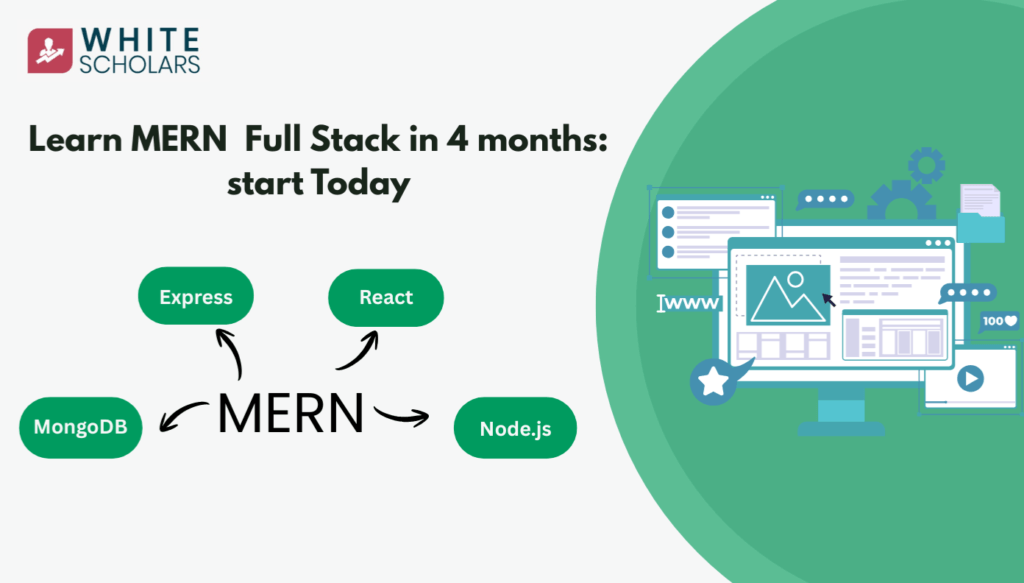
Table of Contents
India will need 100,000+ full-stack developers by the end of 2026, with MERN being key. Start learning MERN Full Stack today and master it in 4 months!
Introduction to the MERN Ecosystem
The MERN stack is a popular choice for creating strong and scalable web applications. Developers see MERN as more than just tools; it’s a complete system that connects the database to the user interface smoothly. The name MERN stands for four key JavaScript technologies:
- MongoDB: A distributed, document-based NoSQL database designed for modern application developers and for the cloud era. It serves as the persistent data storage layer.
- Express.js: A minimalist, flexible web application framework for Node.js, providing a robust set of features for web and mobile applications. It functions as the backend application framework.
- React: A declarative, efficient, and flexible JavaScript library for building component-based user interfaces. It represents the frontend view layer.
- Node.js: A JavaScript runtime built on Chrome’s V8 JavaScript engine. It provides the foundational environment that allows JavaScript to execute on the server side.
Role Analysis
To truly master the MERN stack, one must move beyond surface-level definitions and understand the internal mechanics and architectural responsibilities of each component. Each technology in the stack addresses a specific challenge in the web development lifecycle.
MongoDB: The Evolution of Data Storage
MongoDB is the data layer that differs from traditional databases. Unlike SQL databases that use fixed tables and rows, MongoDB uses a flexible document model. It stores data in BSON format, which means there’s no strict structure required. This flexibility is important for modern development, where data needs can change quickly.
MongoDB can scale easily by distributing data across multiple servers, allowing it to manage large datasets that would overwhelm traditional SQL databases. It not only stores data but also supports complex data structures that reflect the objects in application code.
Express. js: The Orchestration Layer
Express.js is a lightweight server framework for Node.js. It adds essential web application features while keeping the core Node.js functionalities intact. Its main job is to handle the “request-response” cycle.
Using “middleware”, functions that can access the request and response objects, Express helps developers create complex workflows. Whether it’s for authentication, logging, or processing JSON data, Express offers a clear way to direct incoming requests to the right server-side logic.
React: Reimagining the User Interface
React is a JavaScript library created by Meta for building user interfaces. It simplifies how we manage the “View” in web applications. Instead of changing the whole browser DOM when data updates, React uses a “virtual DOM” to efficiently update only what’s necessary of the UI in memory.
When state changes, React performs a “diffing” algorithm to identify exactly what changed and updates only those specific elements. This component-based architecture allows for the creation of reusable UI building blocks, ensuring that large-scale applications remain maintainable and performant.
Node.js: The Engine Room
Node.js serves as the core of the MERN stack’s backend. It uses the V8 engine to convert JavaScript into fast machine code, leading to quick execution. A key feature is its “asynchronous, non-blocking I/O” model.
Unlike traditional servers that create a new thread for each request, Node.js runs on a single-threaded event loop. This allows it to manage many connections at once with low resource use, making it ideal for real-time apps and data-heavy services.
The Strategic Advantage
The brilliance of the MERN stack is its use of a single programming language throughout the entire development process. In traditional development, a developer might use JavaScript for the frontend, Python or PHP for the backend, and SQL for database queries.
This requires frequent switching between languages and often involves complicated tools to manage data across different layers.
In the MERN ecosystem, we simplify development by using JavaScript throughout. We build the user interface with React, handle server logic with Node/Express, and store data in MongoDB using a JSON-like format.
This means that data can easily move from the frontend to the backend as a JSON string and is stored in the database as a BSON document with little change needed.
- High Developer Velocity: By using JavaScript across the entire stack, developers can move between frontend and backend tasks without the cognitive load of switching syntax.
- The JSON Pipeline: Data flows seamlessly from the database to the client in a consistent format, reducing “impedance mismatch” and minimising data transformation bugs.
- Code Reusability: Logic for data validation or utility functions can often be shared between the client and the server, reducing the total volume of code that must be maintained.
- Community and Ecosystem: Being powered by JavaScript, MERN developers have access to the largest package registry in the world (npm), providing pre-built solutions for almost every conceivable technical challenge.
The MERN Learning Roadmap for Students
To learn this stack well, it is suggested to take a clear learning path. It’s important to follow the right order; jumping to advanced topics without basic knowledge can lead to problems and confusion.
- JavaScript (The Foundation): achieve proficiency in core JavaScript before attempting any framework. This includes understanding ES6+ syntax, asynchronous programming (promises, async/await), and closures.
- Node.js (The Environment): After mastering the language, understand the environment it runs in. Learning Node.js first provides the necessary context for how JavaScript interacts with the operating system, file system, and network.
- Express.js (The Framework): As the transcript highlights, Express is a library or framework built for Node.js. It is logically impossible to master Express without a firm grasp of Node.js. Here, learn about routing, middleware, and API design.
- MongoDB (The Persistence): Once learners can build a server, they need somewhere to store data. Learning MongoDB teaches about NoSQL data modelling and how to connect a database to a Node/Express backend.
- React (The View): The final step is the frontend. By learning React last, focus on building a sophisticated user interface that consumes the APIs.
This roadmap ensures that the student understands the “why” behind each technology. For instance, students understand that Express is a set of abstractions over Node’s native HTTP module.
Join the WhiteScholar’s beginner-friendly MERN full-stack course today and start your journey
Environment Setup and Core Installation
A professional development environment must be configured with precision. Below is the systematic procedure for initialising a MERN project from scratch.
Step 1: Node.js Initialisation
Before any development can occur, Node.js must be installed on the local machine.
- Visit the official Node.js website. It will be presented with the LTS (Long Term Support) version and the current version. For professional stability and production-grade reliability, always opt for the LTS version.
- After installation, verify the setup using the terminal. This “handshake” ensures that the Node runtime and its package manager are correctly mapped to the system’s PATH.
- Note: node -v checks the runtime version, while npm -v checks the Node Package Manager version.
Step 2: Project Root and Backend Initialisation
Create a dedicated root directory for the project. This folder will eventually house both backend logic and frontend application. Navigate to this folder in the terminal and execute:
npm init
This command initiates the creation of the package.json file. This is the manifest of the project, containing metadata and the dependency tree. It will prompt for project details; for a standard setup, press enter to accept the defaults.
Step 3: Installing the Backend Framework
With the project initialised, install Express. Unlike Node.js, which is installed globally on the system, Express is installed as a local dependency for this specific project.
npm install express
This command triggers several actions: it downloads the Express source code, places it in a newly created node_modules folder, and records the dependency in package. json. The node_modules folder is where all the external code required by the application resides.
Step 4: React Frontend Setup
The industry-standard approach is to keep the React application in a separate sub-folder within the root directory. To do this, we use npx, a tool that allows us to execute packages without a permanent global installation.
npx create-react-app frontend
Once the installation is complete, navigate into the specific frontend directory to manage the React application:
cd frontend
npm start
The npm start command invokes the React scripts to compile the code and launch a development server, typically accessible at http://localhost:3000.
Understanding Project Structure and Directory Hierarchy
Organisation is the hallmark of a senior developer. A MERN project should follow a “Standard Systematic” folder structure to ensure maintainability and “Clean Code” principles. The following hierarchy is the professional standard for the backend:
- Root Directory (The main container for the entire project)
- package.json (Main configuration)
- node_modules/ (Backend dependencies)
- server.js (The entry point for the backend application)
- models/: This folder contains data schemas. For example, a userModel.js file here would define the structure of a user (name, email, password) for MongoDB.
- controllers/: This is the “brain” of the application. Files like authController.js contain the logic for processing requests, such as how to register a user or log them in.
- routes/: This folder manages endpoints. A userRoutes.js file might define that a POST request /api/register should be handled by a specific function in the controller.
- frontend/ (The React application)
- src/ (The React components and logic)
- public/ (Static assets like HTML and images)
- package.json (Specific dependencies for the frontend)
Best Practices for MERN Development
To elevate work from functional to professional, adhere to these “Pro-Tips” derived from industry standards:
- Strict Folder Separation: Maintain a clear boundary between backend logic and the frontend (React) folder. This prevents dependency conflicts and makes deployment significantly easier.
- Systematic Use of NPM: Never manually edit node_modules. Always use npm install to manage libraries and ensure packages. JSON is always accurate.
- Modularisation over Monoliths: Do not write the entire backend on the server. js. Use the routes, controllers, and models hierarchy to keep files small, focused, and testable.
- Environment Verification: Frequent use of the terminal is essential. Regularly check the environment with node -v and npm -v to ensure they are working within the correct versioning context, especially when collaborating.
- Standardised Initialisation: Always start with npm init. A project without a properly initialised manifest is a project that cannot be easily shared or deployed to a production server.
Conclusion
The MERN stack is a powerful tool for modern web development. It combines MongoDB, Express, React, and Node.js, all using JavaScript. By starting with JavaScript and then learning about the environment, framework, database, and user interface, developers can create strong and scalable applications.
Understanding this stack goes beyond just knowing the code; it’s about following best practices. Whether handling a Node server or managing a React component, good organisation and a focus on using one language will help in success.
Frequently Asked Questions
1. What exactly is the MERN stack, and what is it used for?
The MERN stack is a full-stack web development framework consisting of MongoDB, Express.js, React.js, and Node.js. It is designed to allow developers to build modern, dynamic web applications using JavaScript for every layer of the project, including the frontend, backend, and database.
2. Why is JavaScript the most important part of the MERN stack?
JavaScript is the “common language” of the stack, meaning use it to write the UI in React, the server logic in Node/Express, and the data queries for MongoDB. This eliminates the need to learn different languages for different parts of the application, making the development process highly efficient.
3. What is the best sequence or roadmap to learn these technologies?
First master JavaScript, then move to the backend with Node.js and Express.js. Once you understand how servers work, learn MongoDB for database management, and finally learn React.js to build the user interface.
4. How do I begin setting up a backend for a MERN project?
Start by installing Node.js from its official website, and then use the command npm init in the terminal to initialise the project. Afterward, install the backend framework by running npm install express, which creates the necessary environment for server-side code.
5. What is the standard way to create the frontend portion of the application?
In a MERN setup, the frontend is typically built in its own directory using the npx create-react-app command. This tool automatically installs all the required libraries and sets up a standardized folder structure, allowing students to start building UI components immediately.
