

What is Kaggle? User Guide to Beginner Data Scientist
In this article, we will consider how Kaggle as a platform helps beginner Data Scientists. How to get started with it?
Introduction To Kaggle
Why Kaggle? A beginner data scientist needs practice, and Kaggle solves this problem very well. Let me explain this further.
Kaggle is a platform that offers a no-setup, customisable, Jupyter Notebooks environment. It is easy to start even for complete beginners, requires no installation and is easy to access from anywhere at any time.
Kaggle for Data Science
Kaggle is popular among data scientists and machine learning engineers. It has a huge amount of public datasets, and shared notebooks. But Kaggle is not a learning platform, it is a great platform to practice your knowledge and participate in competitions available there. It is the perfect place to Learn by Doing!
Kaggle is used by beginners and experienced data scientists from all over the world. There is a user rating where you can earn points for solving or discussing data or machine learning problems, and by publishing your code and new datasets. When hiring, sometimes many companies pay attention to the position of the applicant in the Kaggle ranking.
Kaggle could help you master the basic principles of Data Science.
Kaggel Course offerings
You could find a lot of useful courses in the Kaggle learn section like Python, Intro to Machine Learning, Data Visualization, Data Cleaning and so on. These courses will not explain the mathematics behind machine learning algorithms but will teach you the principles needed for a data scientist. This will help save time that is usually spent on studying materials.
As a beginner data scientist, you could start exploring datasets available on Kaggle, there are more than 50,000 of them available by now. Or you could start building your first prediction model or participate in a competition. You should give it a try, and this is how.
Kaggle registration
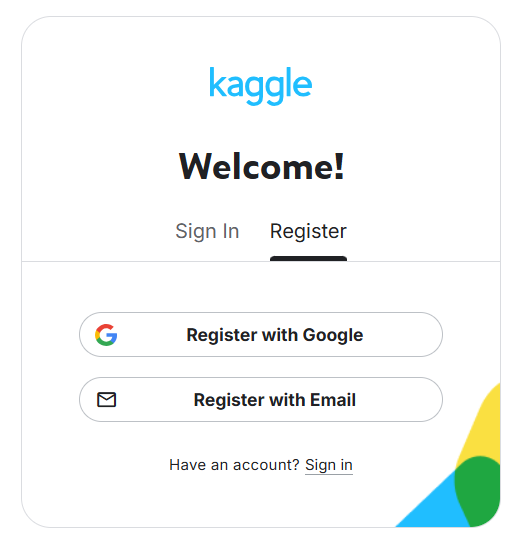
To start using Kaggle, you need to register here. You will have two options: register with a Google account or with an email address, after registration you will receive a confirmation by mail, log in, and done, you are now part of the Kaggle community!
Kaggle Progression System
Kaggle has a Progression System. Once you sign up, your account will be at the lowest level: Novice. There are five performance tiers that can be achieved in accordance with the quality and quantity of work you produce:
- Novice
- Contributor
- Expert, Master and
- Grandmaster.
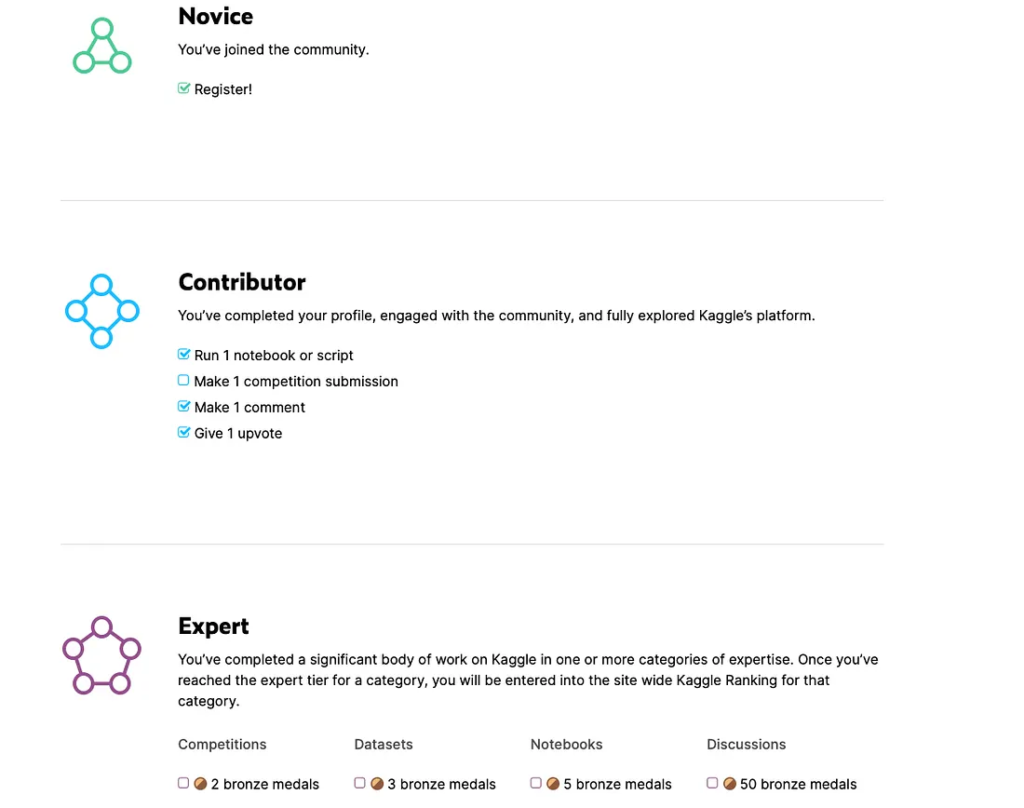
The Kaggle Progression System is created for different categories of data science expertise: Competitions, Notebooks, Datasets, and Discussion and it is done independently within each category.
For example, you could be a Competitions Master, a Datasets Expert, a Notebooks Grandmaster, and a Discussion Expert.
Data Sets and Projects
Instead of looking for tasks according to the studied theory, you can start working on a real project and be in the process of “getting” the necessary practical knowledge. This makes learning Data Science more fun and more productive.
An online editor on Kaggle allows you to create a Jupyter Notebook or a simple Python and R script. You simply plug in the dataset and work in the browser without having to install libraries or dependencies on your local machine.
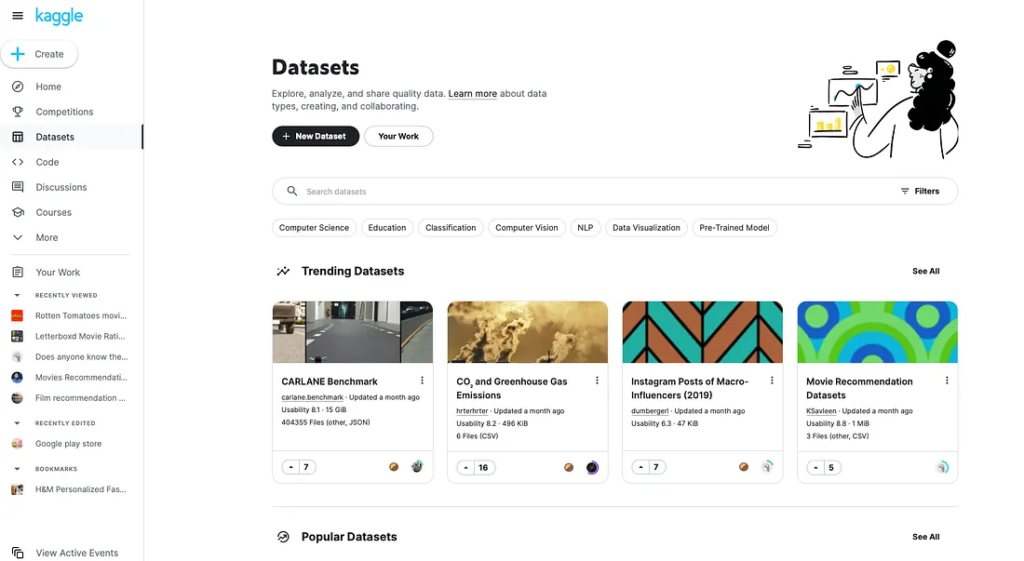
Extraction of DataSets
Once you select the chosen dataset, it is time to explore and learn from experienced people. You could find notebooks from the same dataset with all the code snippets, as well as user ratings that will help you to choose the best examples to learn from.
To create your first notebook, first, choose the dataset you are interested in, click on the 3 dots button, then “create a new notebook”.
Yet, before writing your first rows of code, why not see what others have done with this dataset? This can facilitate your analysis! For example, on the screenshot below you could find the dataset “Supermarket store branches sales analysis” has 53 notebooks which are available to explore!
Kaggel’s community notebook
From community notebooks, you can learn a lot, and spend some time exploring the community to understand what analyses other data scientists perform. Try to understand the logic of written code by understanding and re-executing line by line to practice or reuse these experiences in your other projects.
While you are exploring and learning from other experienced data scientists you will have a good improvement in the quality of the model/solution you are building!
Conclusion
Kaggle empowers beginner data scientists like you to dive straight into hands-on practice with real-world datasets, competitions, and community notebooks, all without setup hassles. By progressing from Novice through interactive courses, model-building, and collaboration, you’ll build essential skills, boost your portfolio, and climb the ranks that companies notice. Start today, experiment freely, and transform theory into expertise through Kaggle’s vibrant ecosystem.
Frequently Asked Questions
What is Kaggle, and why is it ideal for beginner data scientists?
Kaggle is a platform offering public datasets, competitions, and no-setup Jupyter Notebooks for practicing data science skills. It enables “Learn by Doing” through real projects, helping beginners apply theory without installations and build portfolios valued by employers.
How do I register and get started on Kaggle?
Sign up at kaggle.com using Google or email, confirm via mail, and complete your profile to reach Novice rank. Explore datasets, courses, and notebooks right away—no local setup needed.
What free courses are available on Kaggle Learn?
Kaggle Learn provides interactive micro-courses like Python, Intro to Machine Learning, Data Visualization, and Data Cleaning. They focus on practical principles, saving time on math-heavy theory while earning certificates.
How does Kaggle’s Progression System work?
Starting at Novice, advance to Contributor, Expert, Master, or Grandmaster in categories like Competitions, Notebooks, Datasets, and Discussions based on your contributions’ quality and quantity.
How can I use datasets and community notebooks effectively?
Select a dataset, view others’ notebooks for code examples and insights, then create your own via the “New Notebook” option. Fork top notebooks, execute line-by-line, and improve your models through community learning.
